On this page
- 01Before you start
- 02Method 1: Install from the configure page (recommended)
- 03Method 2: One-click install link
- 04Method 3: From Stremio's community add-ons
- 05Method 4: Paste the manifest link
- 06Install Torrentio on each device
- 07How to check that Torrentio is installed
- 08How to update or uninstall Torrentio
- 09Install problems and fixes
- 10FAQs
Want to install Torrentio on Stremio? It takes about two minutes. Torrentio is a free community addon, so you do not download a separate app. You simply add its link to your Stremio account. Below are four install methods, the steps for every device, and fixes for the errors people hit most often.
Fastest way: open torrentio.strem.fun/configure on the device where Stremio is installed, click Install, allow the browser to open Stremio, then click Install again inside Stremio.
Before you start
- Stremio app: download it from the official site (stremio.com/downloads), Google Play or the Amazon Appstore. You can also use Stremio Web in your browser.
- Free Stremio account: log in, so the addon syncs to all your devices.
- Optional debrid service: not required, but it gives faster cached streams. See our Real-Debrid guide.
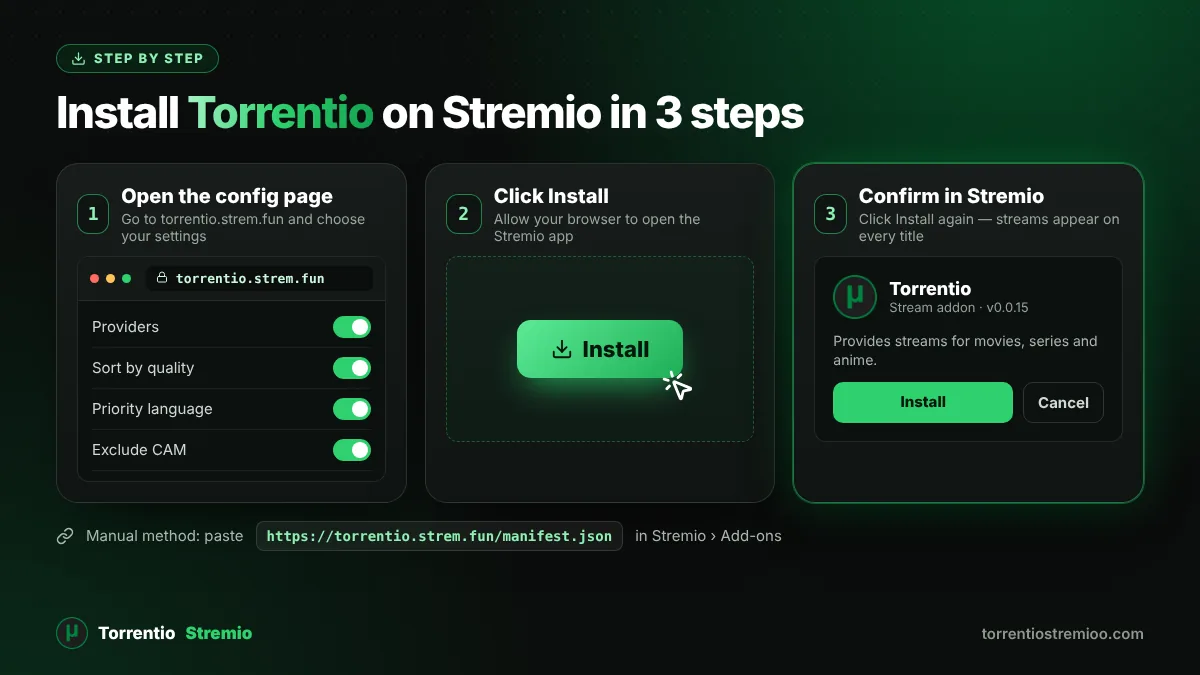
Method 1: Install from the configure page (recommended)
- Open Stremio and keep it running.
- In your browser, go to torrentio.strem.fun/configure.
- Pick your settings, or keep the defaults. Our Torrentio configure guide explains every option.
- Click Install and allow the browser to open Stremio.
- In the Torrentio window inside Stremio, click Install.
Method 2: One-click install link
Stremio understands special stremio:// links. Clicking the Install in Stremio button in our install box opens the Stremio app and adds Torrentio with the default settings. This only works if the Stremio app is installed on the same device and your browser is allowed to open it.
Method 3: From Stremio's community add-ons
- Open Stremio and click the puzzle-piece Add-ons icon.
- Switch from Official to Community.
- Search for Torrentio and click Install.
Method 4: Paste the manifest link
Copy the addon link https://torrentio.strem.fun/manifest.json (or the custom link from the configure page), open Add-ons in Stremio, paste it into the search box and press Enter, then click Install. Use this method when the Install button does nothing.
Install Torrentio on each device
Windows, macOS and Linux
Install the Stremio desktop app and use Method 1. The desktop app includes Stremio's streaming server, which free P2P torrent streams need.
Android phones and tablets
Install Stremio from Google Play and log in. Open Chrome, go to the configure page, tap Install and choose to open it with Stremio. If nothing happens, copy the link and paste it in the Add-ons search box.
Android TV, Google TV and Fire TV
Typing links with a remote is slow. Install Torrentio on your phone or computer with the same Stremio account, then restart Stremio on the TV and the addon appears automatically. For Amazon devices, follow our Torrentio Firestick guide.
Stremio Web
Open web.stremio.com, log in and install Torrentio with any method above. Debrid streams play straight in the browser. Free P2P streams usually need the Stremio streaming server, which comes with the desktop app, running on your device.
iPhone and iPad
Stremio is available on iOS, but iPhones and iPads cannot run the local streaming server that free P2P torrents need. Most iOS users therefore pair Torrentio with a debrid service. You install the addon the same way: from the configure page or from another device on the same account.
How to check that Torrentio is installed
- Open Add-ons › Installed. You should see Torrentio (v0.0.15).
- Open any popular movie or episode.
- Streams labelled Torrentio appear with quality, file size, seeders and provider.
How to update or uninstall Torrentio
To change settings, configure again and install the new link. Then remove the old entry from Add-ons › Installed, so you do not have two copies. To remove Torrentio completely, select it in Installed and click Uninstall.
Install problems and fixes
| Problem | Fix |
|---|---|
| The Install button does nothing | The Stremio app is not installed on this device, or the browser blocked the stremio:// link. Use Method 4 and paste the link instead. |
| Two Torrentio addons are listed | Uninstall the older one, so your latest settings are used. |
| Installed, but no streams appear | Loosen your quality filters and size limit, then try a popular title. |
| The addon will not load | Torrentio may be down or blocked on your network. Test it with our Torrentio status checker. |
Before you stream, read our guide on whether Torrentio is safe and legal. Only watch content you have the right to watch.
New to Torrentio? Start with our complete Torrentio Stremio guide.
Frequently Asked Questions
Is Torrentio free to install?
Yes. Torrentio and Stremio are both free. Debrid services are optional and paid.
Do I need to install Torrentio on every device?
No. Install it once while logged in to your Stremio account, and it syncs to every device that uses the same account.
Can I use Torrentio without the Stremio app?
Yes, through Stremio Web in your browser. Free P2P streams usually still need the Stremio streaming server, so many web users add a debrid service.
What is the Torrentio manifest link?
The default link is https://torrentio.strem.fun/manifest.json. If you change settings on the configure page, you get a longer custom link.
Why does Stremio show two Torrentio addons?
You installed a new configuration without removing the old one. Uninstall the older entry from Add-ons › Installed.